Your whole university, read as one page.
Six logins collapse into one morning brief, ranked by what it actually costs you to miss.
Attendance and scholarship eligibility
 Canvas
 Gmail
Gmail Records
 Perusall
 Fees portal
Forty seconds, before your first class.
Qobi speaks the plan: what's irreversible, what's merely urgent, and who to talk to today.
It's never just one missed session.
Qobi models the chain across systems that never talk to each other.
One slip, four systems.
- 01Canvas: 2 sessions missedAttendance drops under 85%.
- 02Records: final blockedBelow threshold means no sit.
- 03Finance: scholarship reviewA failed module changes eligibility.
- 04Immigration: enrolment statusStatus letters need full-time standing.
“It wasn't a forgotten deadline. It was an unseen one.”
Teni · founder · BSE
campus emails a day. One of them is the form. Example
Weighted by consequence.
The recurring form nobody remembers.
Weekly, Sunday noon, buried under a thread, and flagged the moment it lands.
Every risk names a person.
Student Life, Student Success, Finance, International Office. Routed, never guessed.
Sees which cohorts are missing forms and sign-ups before the deadline passes.
Gets early attendance and progression signals while there is still time to act.
Knows which funded students are one slip from losing eligibility.
Sees permit and enrolment-letter deadlines across the cohort.
 Photo by Christian Erfurt on Unsplash
Nobody misses a deadline on purpose. They miss the email it arrived in.
Six systems, six inboxes, six notification settings. The item that matters most is rarely the one that shouts loudest. It's the one that never reached a calendar at all.
Early warning, without surveillance.
Staff see patterns across a cohort, never an individual student's inbox.
Universities · Scholarship programmes · Bootcamps and accelerators
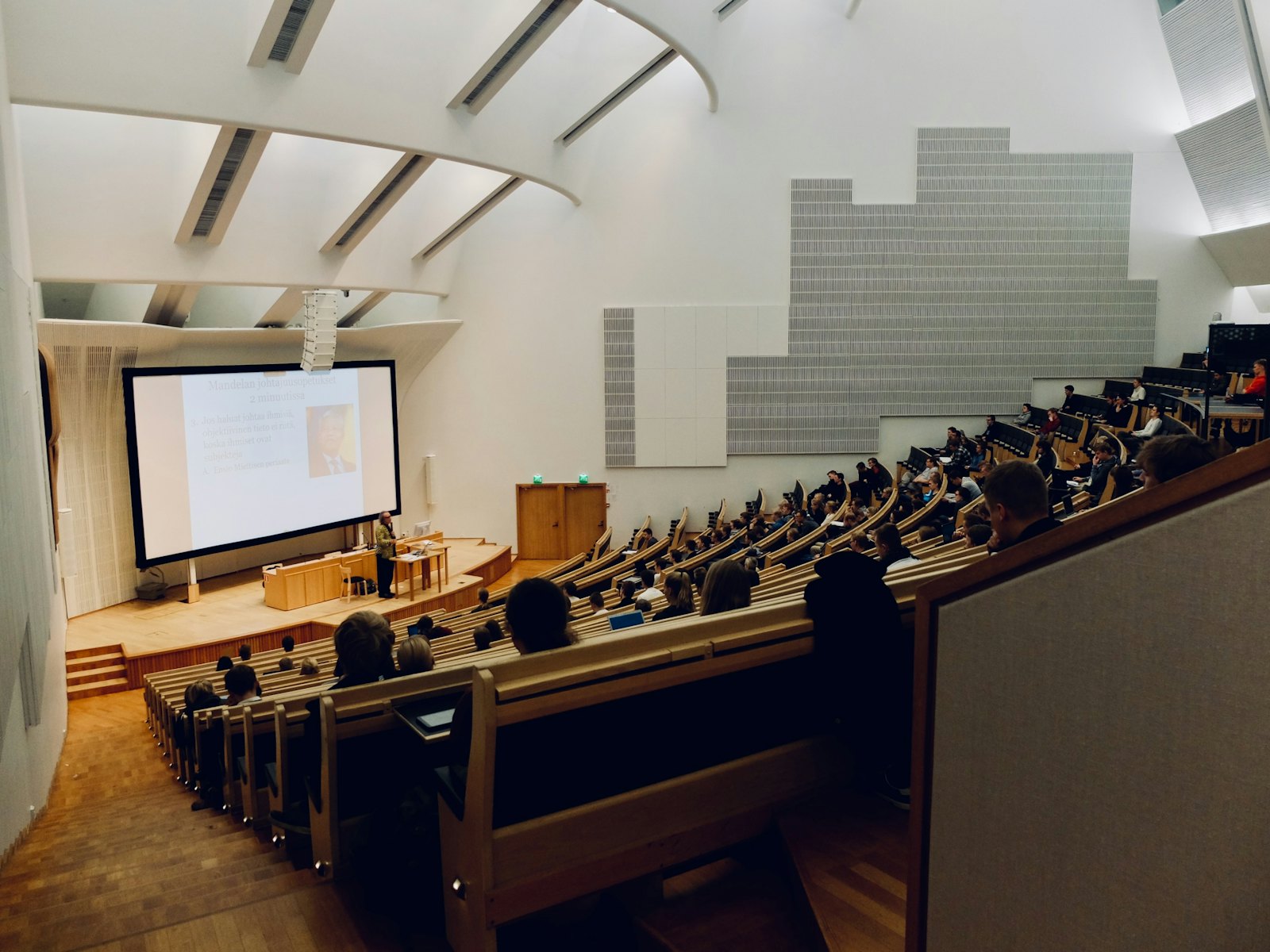 Photo by Dom Fou on Unsplash
Groups under 5 are never shown.
Your handbook, understood.
Qobi reads your policies once and reasons with them every day. ALU is the first policy pack; yours is the next.
Students are expected to attend all scheduled sessions. A student whose attendance in a module falls below 85% will not be permitted to sit the final assessment, and must repeat the module in a subsequent term.
Read-only, by design.
Qobi never sends, edits or deletes. It watches, reasons, and tells you.
 Photo by Zoshua Colah on Unsplash
- Read-only scopes, your university domain onlyGmail · Canvas
- Disconnect a source in one tap; its data leaves with itRevocable
- Every item shows where it came fromVerify
- No ads, no resale, no training on your mailPolicy
- Your university is the data controller; Qobi is the processor under a signed agreementDPA
- Names and identifiers pseudonymised, sensitive fields redacted, before any model sees themRedaction
- Each institution's data is isolated from every other'sIsolation
- Every access is logged and exportable to youAudit log
- Registering with Rwanda's data protection authorityIn progress
- Sign in with your university's SSORoadmap
Four steps, nothing hidden.
You switch it on
Read-only. Off any time.
Your name comes off
The AI sees the deadline, not you.
Ranked by what it costs
Your school's rules, not guesswork.
One page, only yours
Never used to train a model.
Connects to what you already run.
Switch on a source and Qobi starts reading it. It never sends, edits or submits anything, and you can switch any source off in one tap.
Your coursework
Connected todayAssignments, attendance and grades, pulled from wherever your classes live.
 Canvas
 Moodle
 Blackboardsoon
 Brightspacesoon
Your school inbox
Connected todayThe forms and notices that never reach a calendar. Your school address only, and read-only.
 Google Workspace
 Microsoft 365soon
Your records and fees
With your school's approvalStanding, invoices and permit dates, so Qobi can see what a slip would actually cost.
 Bannersoon
 Workday StudentsoonYour own systemsoon
Courses on the side
Connected todayThe certificates and readings that slip behind everything else.
Perusall Courserasoon
Don't see yours? Your school can connect its own system during setup.
From signed to live in one trimester.
- 01Week 1Data processing agreement signed, LTI installed by your IT team.
- 02Week 2Your policy pack built from your handbook and finance guides, reviewed by your staff.
- 03Week 3Pilot cohort invited; students opt in source by source.
- 04End of termOutcomes report on obligations caught and risks resolved.
One cohort. One trimester. One report.
- No long contract
- Your policies, your data
- Outcomes measured, not promised
Questions, answered plainly.
What exactly can Qobi see?
Only the sources you switch on: your university's LMS and, with approval, your school inbox. Nothing outside your university domain.
Can it send emails or submit forms for me?
No. Read-only, always. Qobi tells you what matters and who to talk to; you act.
How does it know what counts as critical?
It loads your university's own rules (progression thresholds, grant coverage, permit calendars) and ranks by consequence, not by date.
What does it cost?
Free for pilot students. Universities licence Qobi for their cohorts.
What happens after I claim a seat?
You confirm by email, which holds your seat for 48 hours. Your first brief lands the morning after you connect a source.
Who owns the data?
Your institution. You are the data controller; Qobi is the processor under a signed agreement.
Where is it stored?
In an isolated tenant per institution. Region is agreed before the pilot starts.
Does it work with our LMS?
Canvas and Moodle connect over LTI 1.3 today. Blackboard and Brightspace are on the roadmap.
How long does setup take?
One trimester end to end: agreement and install in week one, your policy pack in week two, cohort invited in week three.
Does it replace our early-alert system?
No. It sits beside it and reasons across domains your alerts don't see: money, standing and immigration.
What does a pilot cost?
Priced per cohort and agreed in the pilot conversation. No price is published on this page.
Never miss what you couldn't see.
We open one university at a time. Claim a seat and we'll tell you the week yours goes live.
- 01Confirm by emailOne click holds your seat for 48 hours.
- 02Connect what you chooseCanvas and your inbox first. Add the rest later.
- 03Your first brief lands at 07:30The morning after you connect.
Four fields, then you're in.
41 students confirmed in cohort one.